A console for one container
An AgentBack app is one dependency-injection container and one set of
Zod schemas. The console at /console is a read-only window
onto exactly that — not a second description of the system that can
drift from it.
Most dev dashboards are a separate artifact: a hand-maintained diagram,
a generated spec, a list of routes someone keeps up to date. They start
accurate and rot. AgentBack already keeps its REST routes, MCP tools,
OpenAPI, typed clients, and llms.txt derived from a single
source. The console is that same idea pointed inward: render the
running container, don't re-describe it.
One call mounts it. The console composes four panels behind a shared shell.
const app = new RestApplication();
app.component(MCPComponent);
app.restController(GreetingController);
app.service(EchoTools);

// Context + Schema + API + MCP panels, one shell at /console.
await installConsole(app, {title: 'my-service'});
await app.start();The container as wiring, not a list
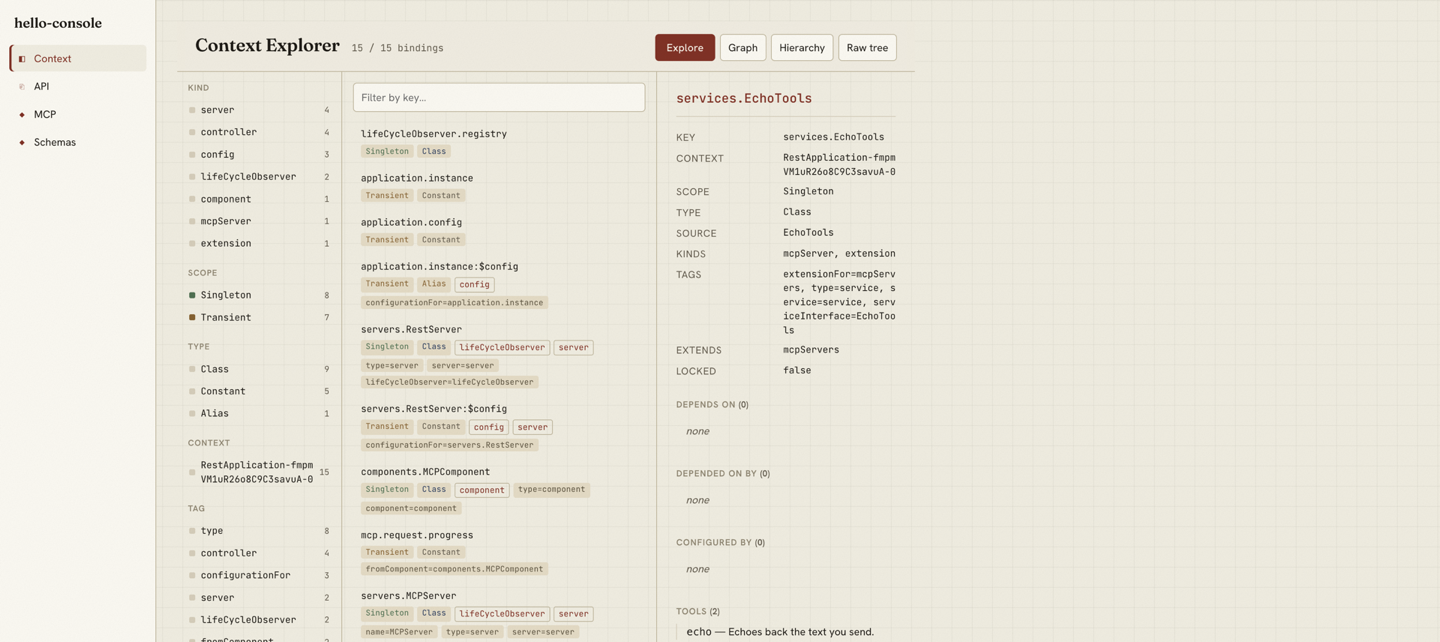
The Context panel is the one most frameworks don't have, because most frameworks don't have a single container to show. It indexes every binding and offers four views of the same model: Explore, Graph, Hierarchy, and Raw.
Explore is a faceted browser. Pick one facet value — a kind
(controller, mcpServer, component,
lifeCycleObserver, extensionPoint,
config, server), a scope, a type, a tag, an
extension point, a lifecycle group, or a context — and the list filters
to it. Scope and type are color-coded so a registry of a hundred
bindings is still scannable. The detail pane shows a binding's tags
(with values), its dependencies both directions, and any routes or
tools it contributes.
The graph shows real relationships
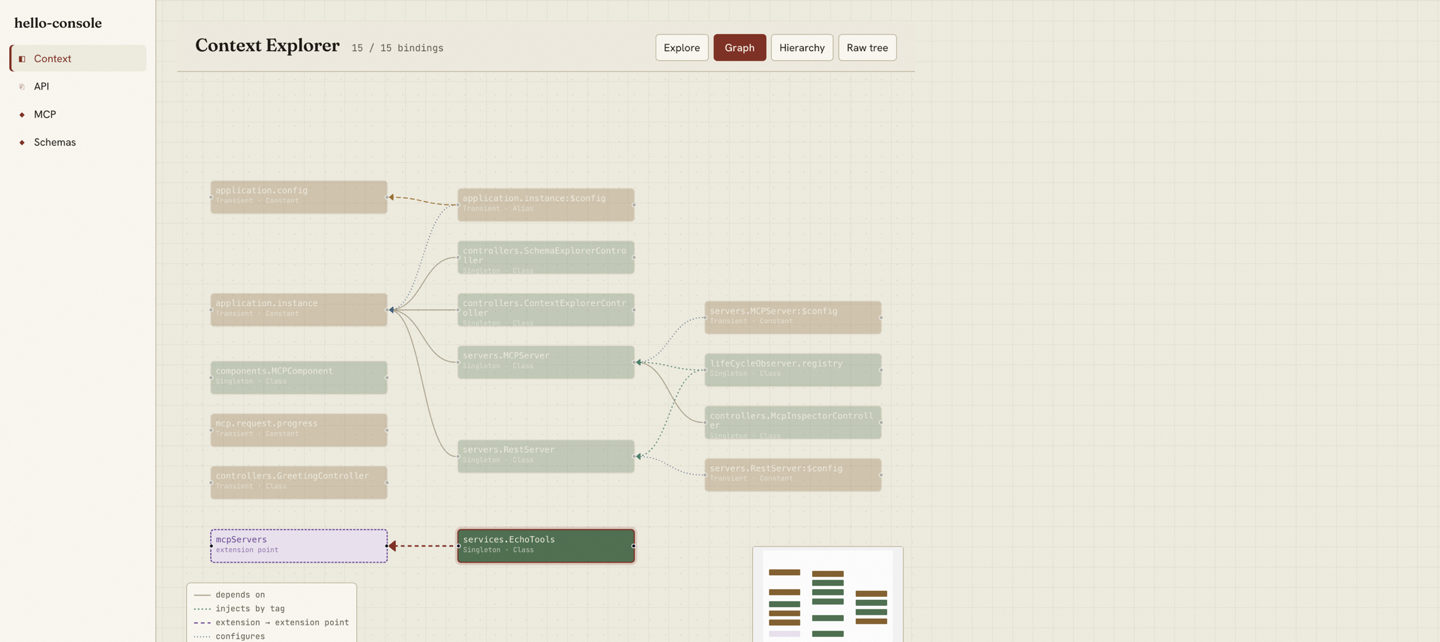
Architecture in AgentBack is encoded in tag conventions, not buried in imperative wiring. That makes it drawable. The Graph view lays the container out and distinguishes five kinds of edge, each one a relationship the container actually has:
-
depends on — a direct constructor or property
injection (
@inject('key')). -
injects by tag — a binding that injects a whole view
of a tag (
@inject.view), e.g. the lifecycle registry pulling in everylifeCycleObserver. -
extension → extension point — an extension
registering with the point it extends. Points consumed only by name
(like
mcpServers, with no declaring binding) get a synthetic node so the wiring still lands somewhere. -
configures — a
.configure()binding to the binding it configures. - alias → target — an alias binding to the key it resolves to.
Hierarchy renders the context parent chain as a tree; Raw is the
unreshaped inspect() dump for when you want ground truth.
Click any binding in any view and you land on its detail.
The other three panels, same model
The Context panel is the unusual one. The other three are the surfaces the framework already derives from the same registry, side by side under one shell.
API is Swagger over the live
/openapi.json — the routes the REST server discovered, not
a hand-kept spec.
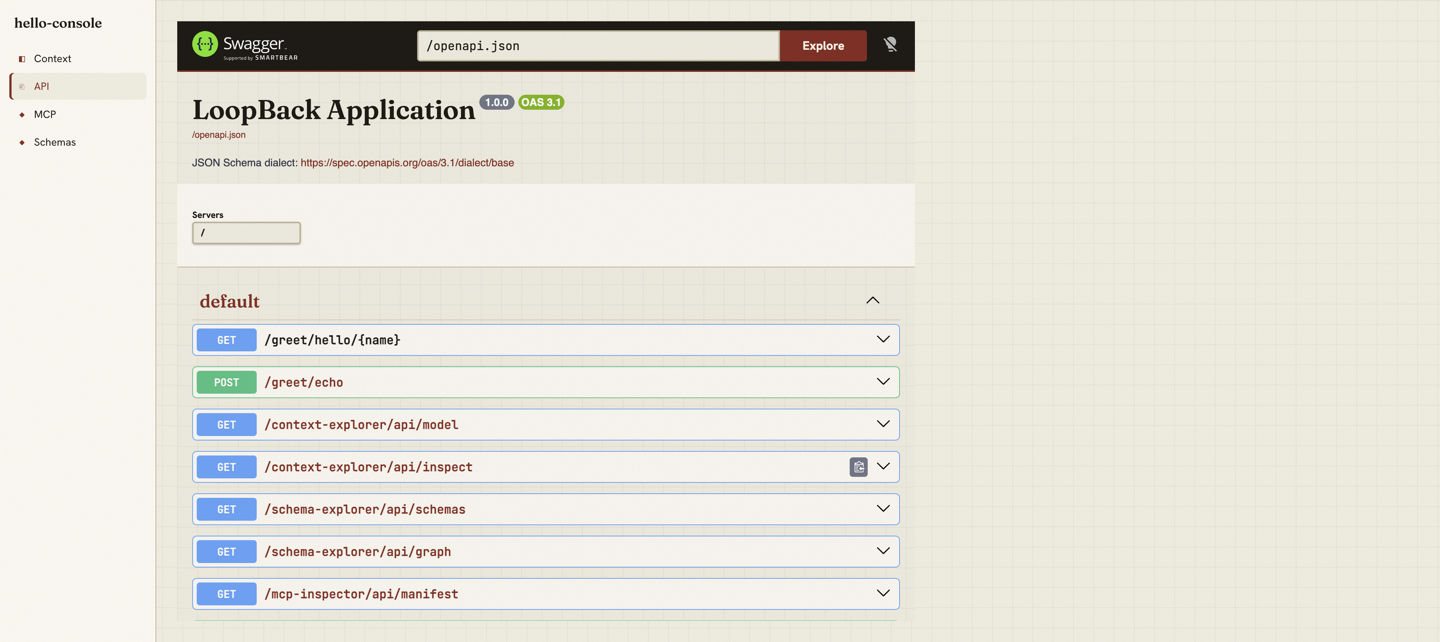
/openapi.json, served from the same
bindings.
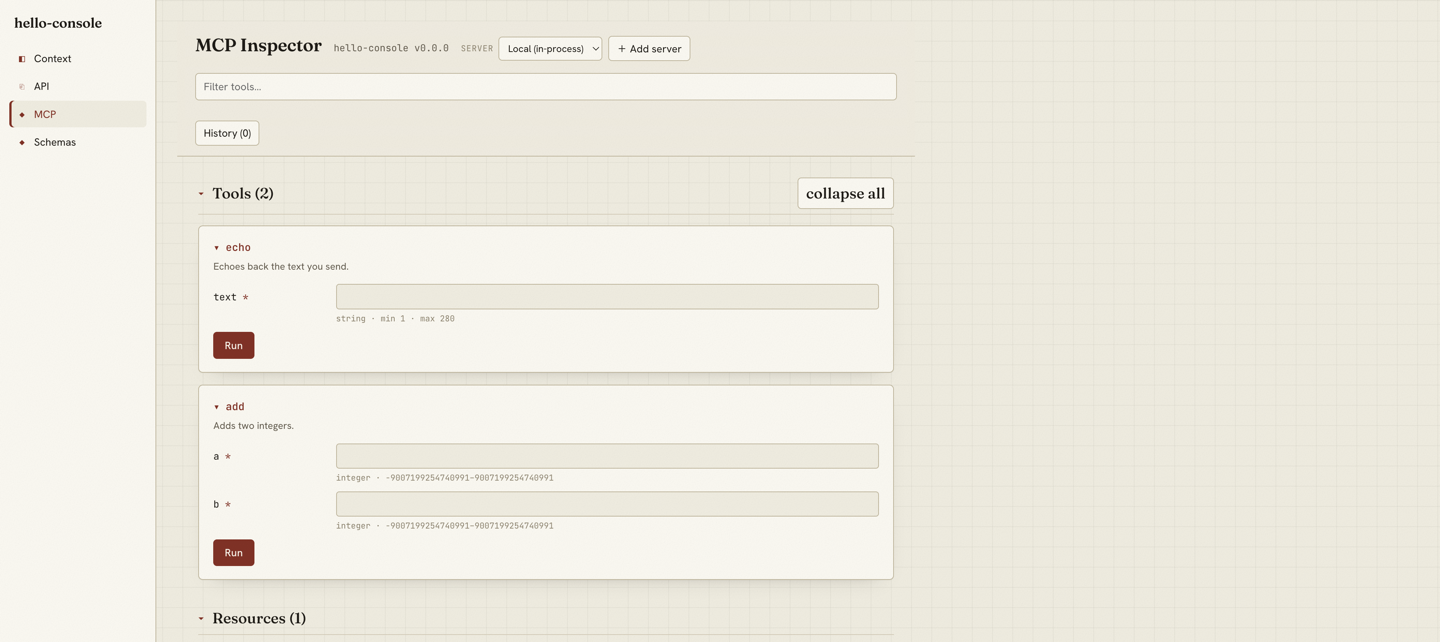
MCP is an in-process inspector: every
@tool with its input form, ready to call, plus resources
and prompts.
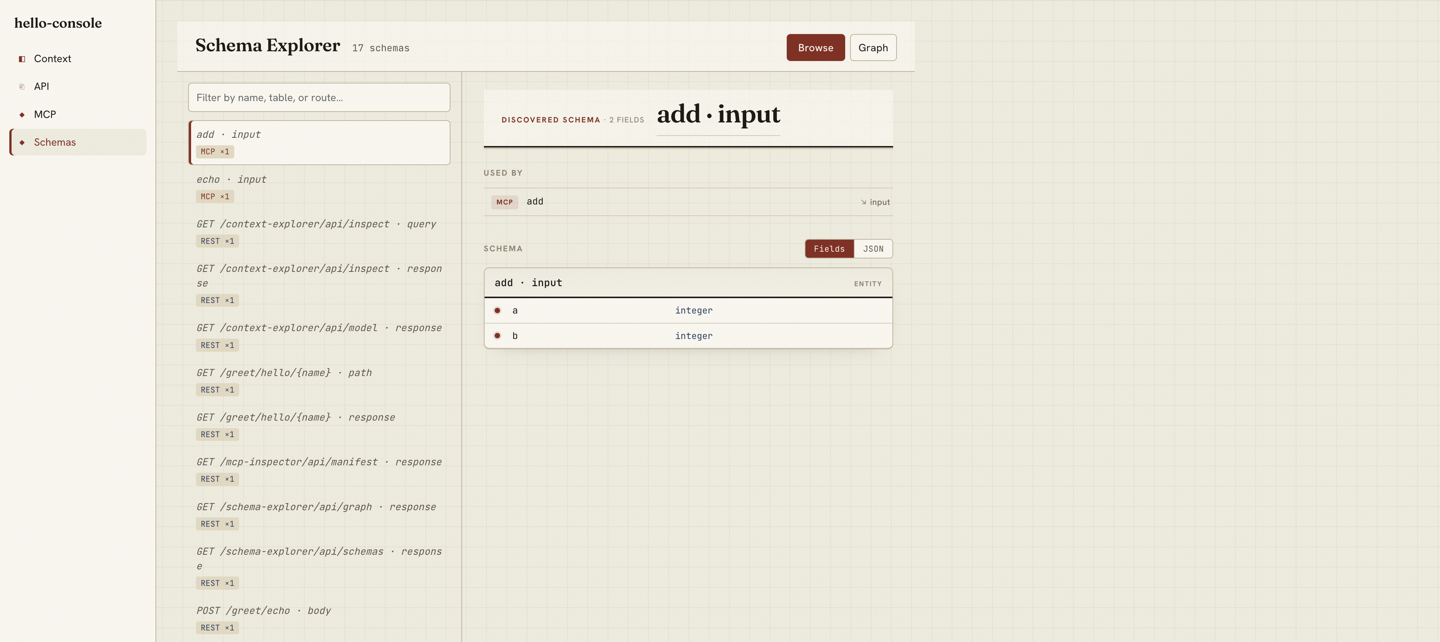
Schema inverts the view: it indexes the app by Zod entity and shows every boundary each schema reaches — which REST routes, MCP tools, and tables use it — joined by object identity, not by name.
It never resolves a binding
The console is strictly read-only, and "read-only" here has a precise
meaning: it never resolves a binding's value. Resolving could
instantiate a provider or read a secret — a JWT signing key is a
binding like any other. So the model is built from metadata only:
inspect() output, the tag map, and decorator metadata read
off a class constructor without ever calling it. Routes come from
reading controller specs; tools from reading method metadata. A bound
secret shows its key, scope, and tags, and nothing else.
There is exactly one deliberate exception:
APPLICATION_METADATA, a plain package.json
object, is resolved to render the app's name and version. It is a
constant, never a secret, and the exception is a single guarded read.
Why it can't drift
The Context panel calls one endpoint — /context-explorer/api/model
— which builds its model from the same registry the REST and MCP
servers discover themselves from at startup. There is no second list to
keep in sync. When provenance isn't already in the container, the fix
is to record it in the container, not to reconstruct it in the UI:
components now tag every binding they contribute with
fromComponent, so "what does this component contain" is a
tag query, not a guess. The console shows what is, because it reads
what runs.
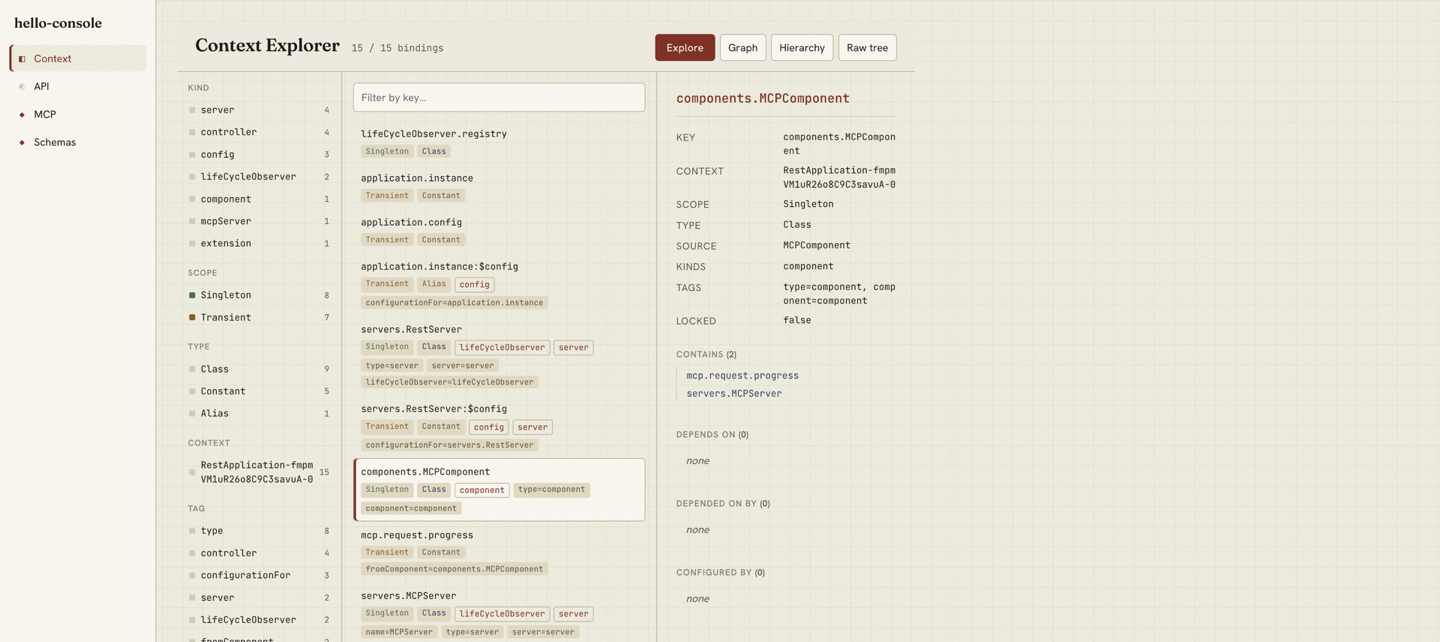
fromComponent tag on
each contributed binding — no component instance is resolved.
The runnable version is
examples/hello-console. Start it and open /console. (For local development the
example passes unsafeAllowUnauthenticated: true; in
production the console requires an explicit auth posture, since it
exposes DI internals.)